Profit estimates
On an item's Listings tab, each marketplace's price shows an estimate of what you would keep, for example "You'd keep about $36.00".
See your profit
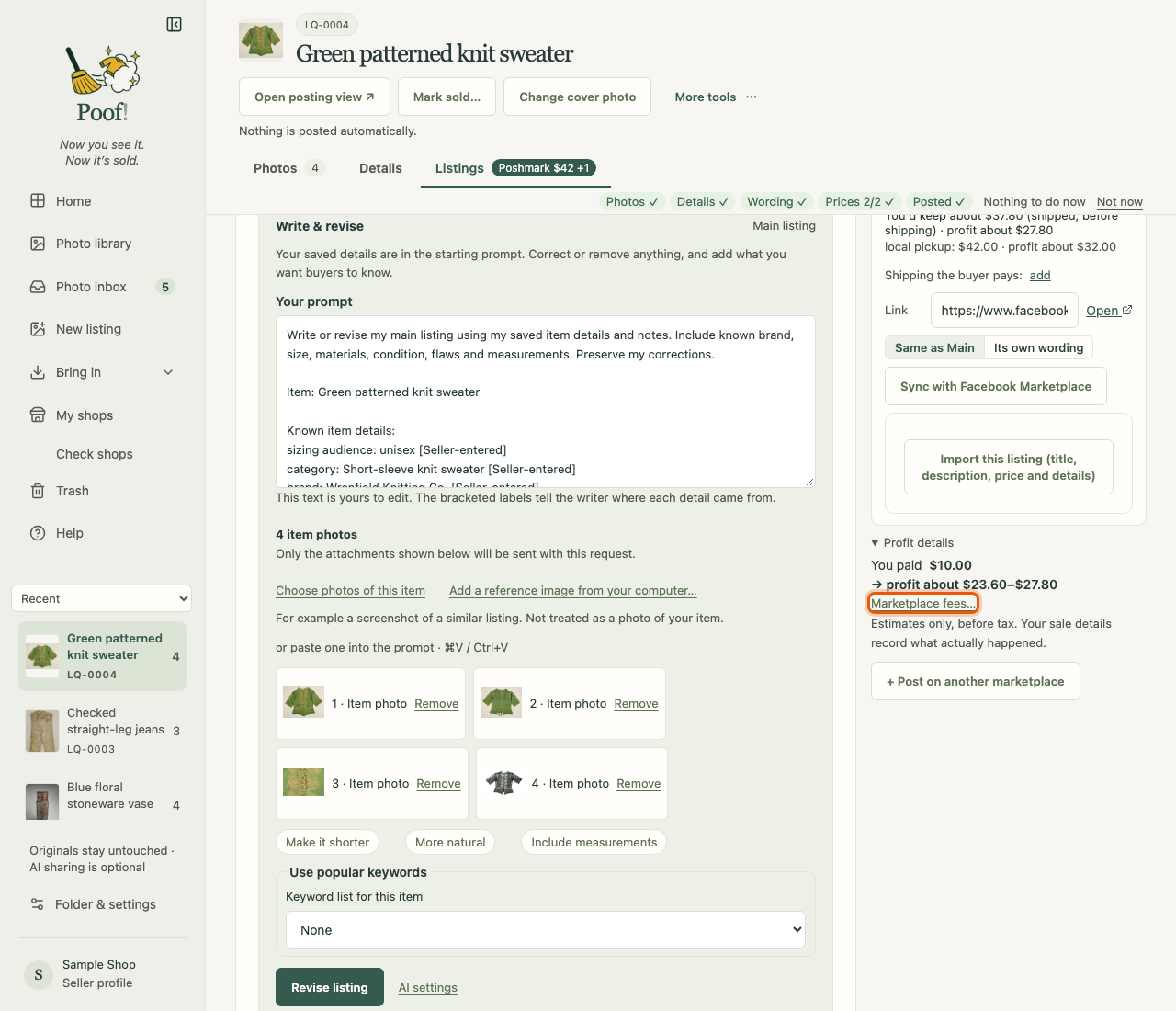
Open Profit details below the marketplaces, press add what you paid on the You paid line and type the amount. The estimate then adds "profit about $…". What you paid stays private on your computer.
Fees
Estimates use a fee for each marketplace. Press Marketplace fees… to see and change them:
- Percent of the sale (%), Plus a fixed amount ($), Smallest fee ($) and a different fee for Sales under this price ($).
- Reset to the starting figures goes back to Poof!'s starting figures.
The starting figures come from third-party fee guides, not from the marketplaces, and are in US dollars. Fees change, so check them on each marketplace. A marketplace with no fee set shows no estimate until you enter one.
For marketplaces that charge a percentage on shipping too, you can add Shipping the buyer pays; left blank, the estimate is before shipping.
What estimates are not
Estimates are before tax and are only a guide. They never change your prices, your listings, or your sale records. When an item sells, Sale details records what actually happened.