Settings and privacy
Poof! is a local app: it runs on your computer and keeps your work there. This page explains what is stored where, and what can ever leave your computer.
Folder & settings
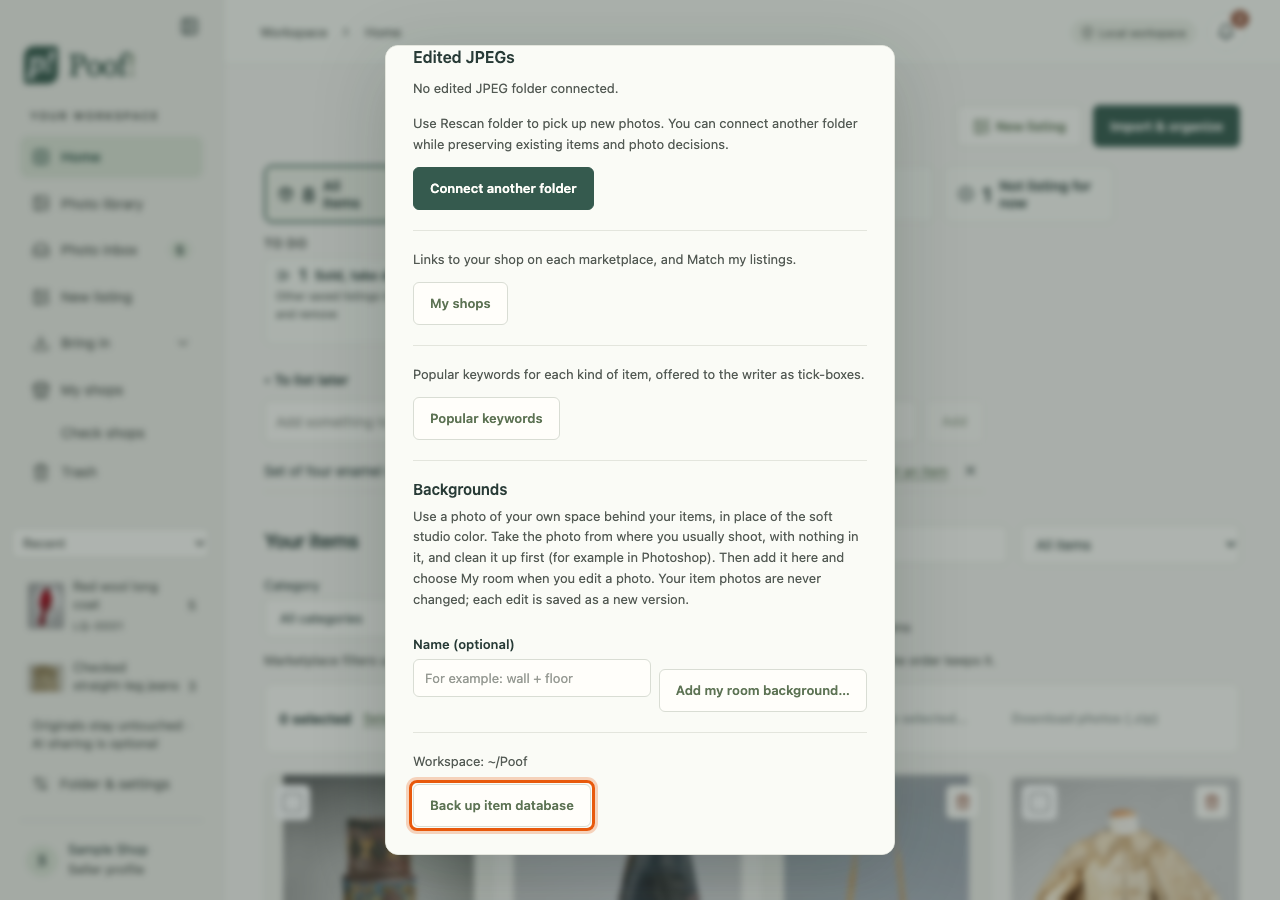
Folder & settings in the side pane holds:
- your photo folder (the same window you saw at first-run setup);
- My shops: a link to your shop on each marketplace, and Match my listings;
- Popular keywords: your keyword lists (see Write a listing with AI);
- room backgrounds for the photo editor;
- the location of Poof!'s workspace folder, and Back up item database.
What is stored where
- Your photo folders stay exactly as they are. Poof! only reads them. See What Poof! never does to your photos.
- Poof!'s workspace folder holds everything Poof! makes: its database of items, details,
listings and decisions; photo previews; copies of photos you chose with Import & organize or
New listing; your edited photo versions and collages; item working folders; photos downloaded
from your marketplace listings; shipping labels; and backups. In the Mac app it is the
workspacefolder inside the Poof folder in your Library's Application Support (see Remove Poof! for how to find it). Folder & settings shows where it is. - The free cut-out and the selection tool, if you add them, keep their model files in the
workspace folder, under
models/. See Add-ons. - Your ChatGPT sign-in, if you use one, is kept by OpenAI's Codex app, never by Poof!.
Poof! is reachable only from your own computer, at the address 127.0.0.1. Other computers and
phones on your network cannot open it.
Local only by default
Out of the box, AI processing is set to Local only — no OpenAI. In that mode Poof! makes no AI requests of any kind. Saving, importing photos, your photo choices and editing photos never call an AI service, whatever the setting.
What a ChatGPT task sends, and when
If you choose ChatGPT — sends task inputs to OpenAI, Poof! remembers that choice for your shop. Even then, nothing is sent until you press a task's own button, such as Draft listing, Suggest item details or Find popular keywords.
- Each task shows what it will send before you press it. Many have Preview exact request.
- Photos are sent as previews of the photos you chose, never your original files or whole folders.
- Your private notes, your To list later notes, shipping labels, what you paid for items, and where files are stored on your computer are not sent.
- Switching back to Local only stops new requests and cancels running ones. It cannot take back what was already sent.
Poof! connects to ChatGPT through OpenAI's Codex app server, signed in with your ChatGPT account. OpenAI describes the Codex app server as experimental and not supported for production use. Your ChatGPT plan's usage limits apply. Poof! never uses a paid API key and never switches to paid API use.
Usage recording
Poof! can keep a local record of how it is used, to help find problems: which buttons were pressed, which screens were open, and which requests failed. It never records what you type, such as titles, descriptions, notes or prices.
Usage recording is off unless you turn it on in Folder & settings. Even when on, the record stays on your computer and is never sent anywhere.
Marketplaces and outside tools
Marketplaces have their own terms about tools that work alongside them, and those terms are broad and not fully clear. Poof! keeps its part small: it never posts, signs in or types for you, reads only what you ask it to read, and never pretends to be a web browser or anything other than itself. You are responsible for following each marketplace's rules.